Have you ever prepared a cake using a recipe to the letter, only to find that it never rose? That is the same feeling you get when a website lacks on-page SEO. Have you ever wondered what is on-page SEO and why it’s crucial for ranking higher? In this guide, I’ll explain what on-page SEO is in simple terms and share a comprehensive checklist to help beginners improve their rankings in 2025. On-Page SEO is a set of all the techniques and factors that you ensure are correctly used in your content as well as on your website for higher rankings in SERP. If you’re looking for expert help with improving your website rankings, check out our professional SEO services to get started.
What Is On-Page SEO?
Let’s begin with understanding the fundamentals. When someone asks what is on-page SEO, the simple answer is that it’s the practice of optimizing individual pages so both search engines and humans can understand and rank them effectively. In a nutshell, On-Page SEO is making webpages rankable in Google’s algorithm and providing tremendous value for visitors. In this beginner’s guide to on-page SEO, we’ll cover all key factors and share tips to improve page rankings.
Table of Contents
Why Is On-Page SEO Important?
Before optimizing, you must first understand what on-page SEO is and how it impacts your site. In 2025, SEO is a basic aspect of digital marketing. Here’s the reason:
- Better visibility: It is more likely that the customized side search results will appear in the results.
- Increased user experience: Well-structured content keeps visitors busy.
- Higher conversions: Relevant content leads to more sign-ups, sales, or actions.
- Better searchability: Search engines can easily index custom pages.
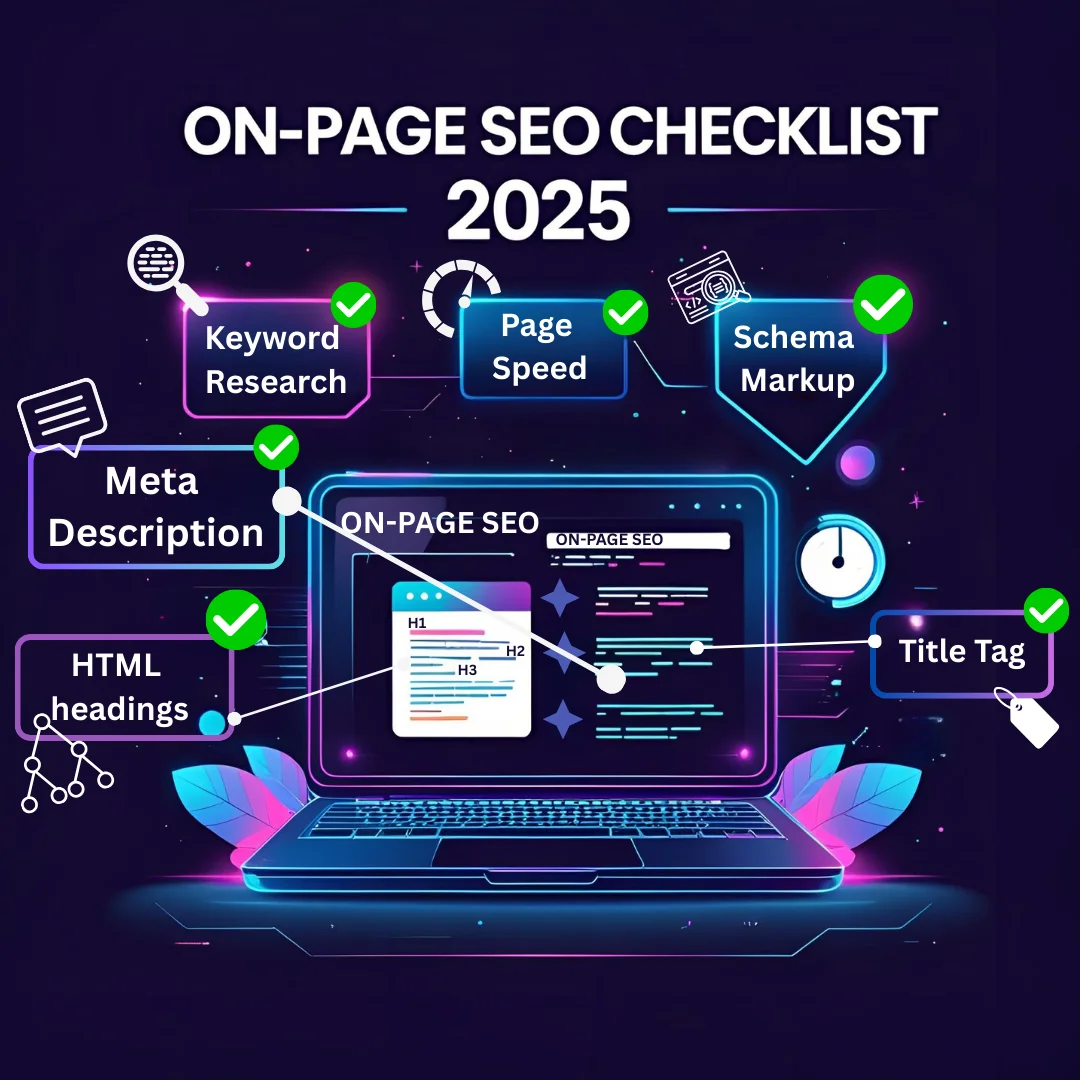
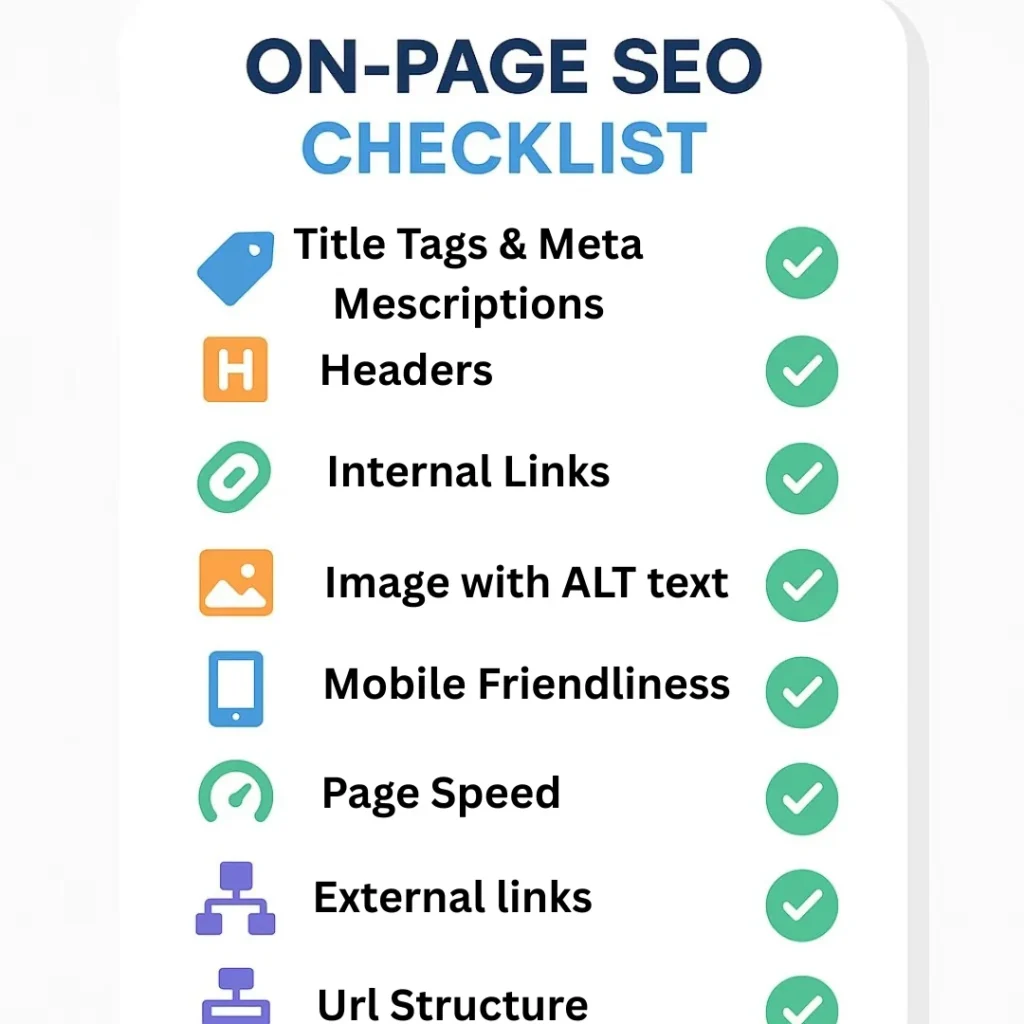
Key elements of on-page SEO are:
Here’s a complete on-page SEO checklist every beginner should follow to optimize content for SEO.
Title Tags: Main headlines as seen in the search results in blue color.
Meta Descriptions: Short descriptions in search results immediately under the titles.
Headings (H1, H2, H3, etc.): Break down written material into sections to enhance readability as well as SEO.
URL Structure: Web addresses that are tidy and informative, so people can easily remember them.
Content Quality: Text that provides relevant information and is of high quality and useful for readers.
Internal Linking: Linking pages of your site that are related to each other.
Image Optimization: ALT Text descriptions and other required formats of images.
Each of these components plays a vital role in helping search engines understand your content and rank it appropriately.
On-Page SEO Factors & Checklist Every Beginner Must Master
This on-page SEO checklist is designed to help beginners who are still asking what is on-page SEO in practice and how to apply it step by step.
1. Keyword Research and Smart Placement
Before optimizing any page, you need to know what people are searching for. Keyword research ensures your content aligns with real search intent. Before diving into keyword placement, it’s important to understand the bigger picture of what SEO is and how it works. What Is On-Page SEO?
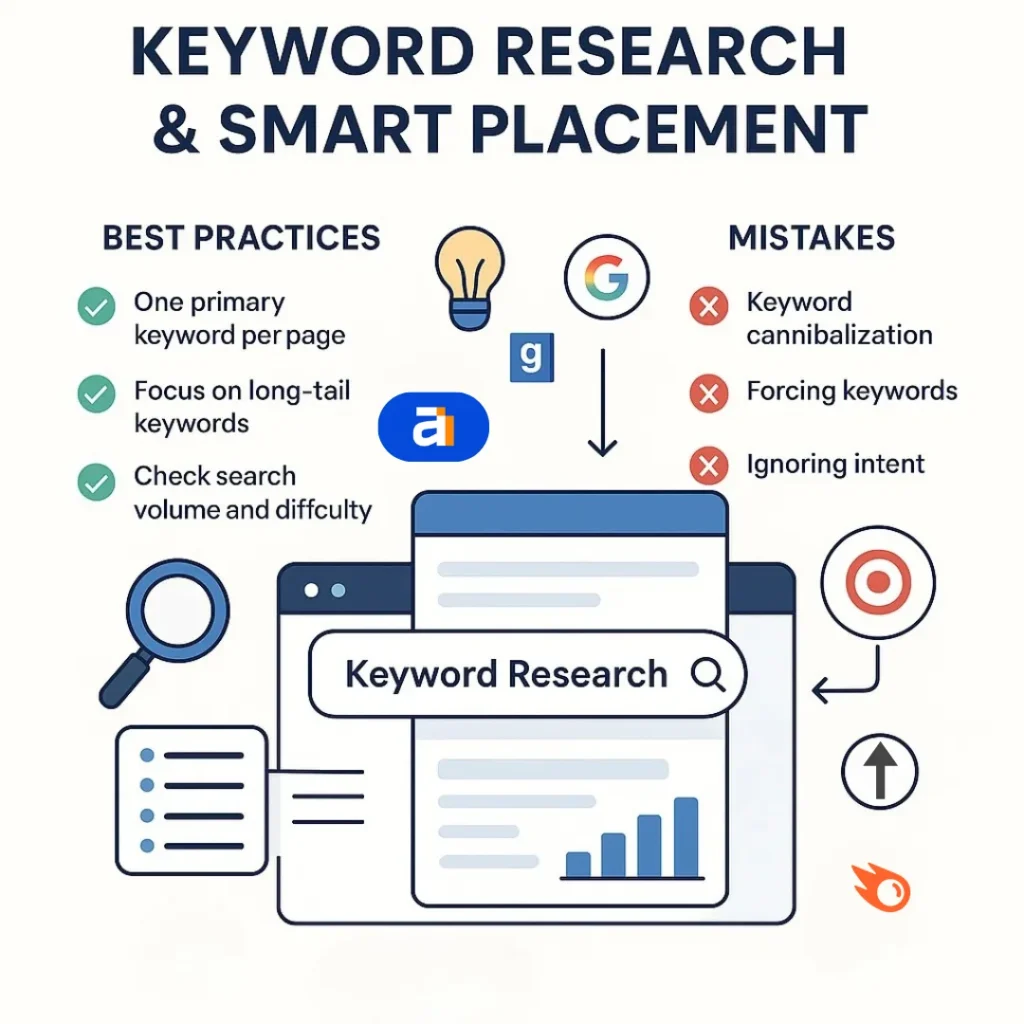
- Map primary keywords to one page only to avoid cannibalization.
- Use tools like Google Keyword Planner, Ahrefs, or SEMrush to find terms.
- Focus on long-tail keywords for beginners as they’re easier to rank.
- Check search volume, keyword difficulty, and competitor usage.
2. Title Tags That Sell the Click
Your title tag is the first handshake with Google and searchers. Think of it like the cover of a best-selling book—if it’s boring, no one opens it. A well-crafted title boosts click-through rates and rankings.
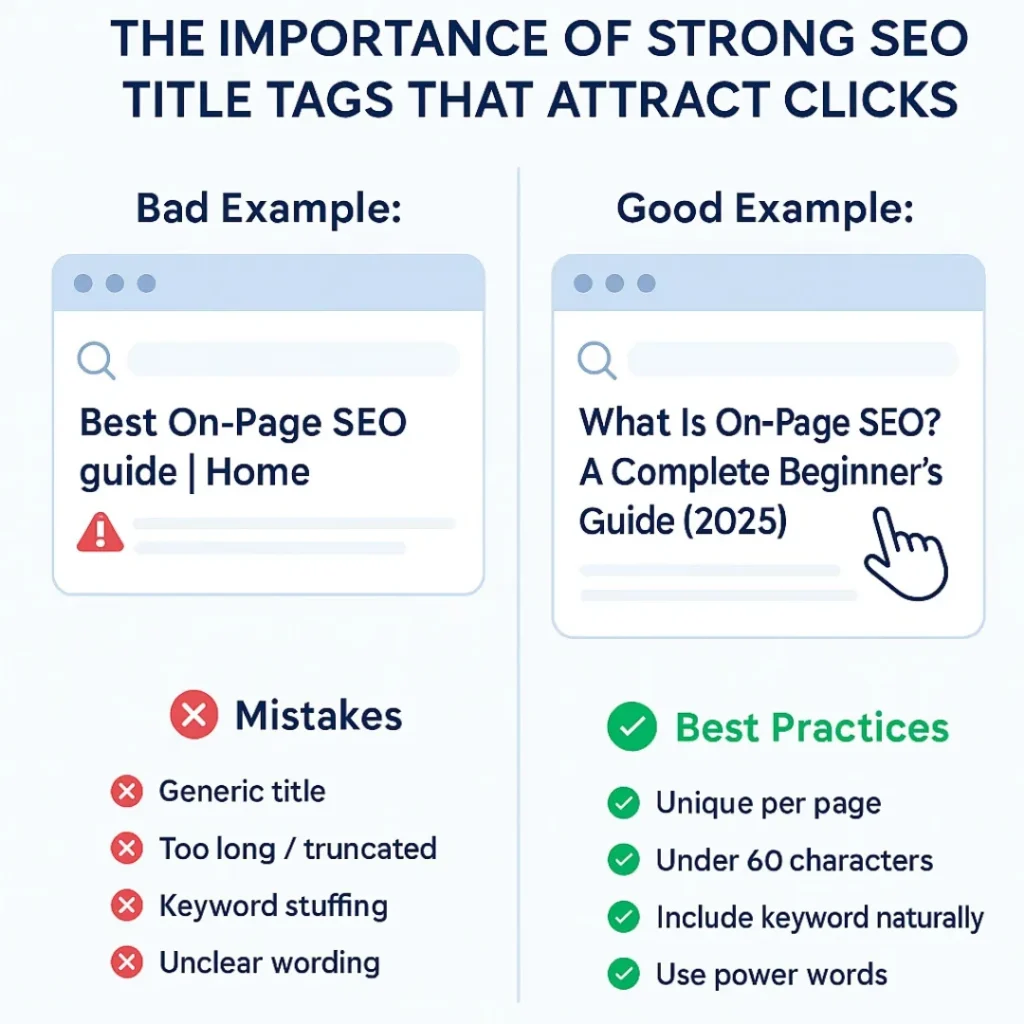
- Make each title unique per page.
- Keep it under 60 characters to avoid truncation.
- Include your target keyword naturally.
- Add power words like “guide” or “checklist” to attract attention.
3. Meta Descriptions That Drive CTR
Meta descriptions don’t directly impact rankings, but they strongly influence clicks. They’re like your page’s sales pitch on Google.
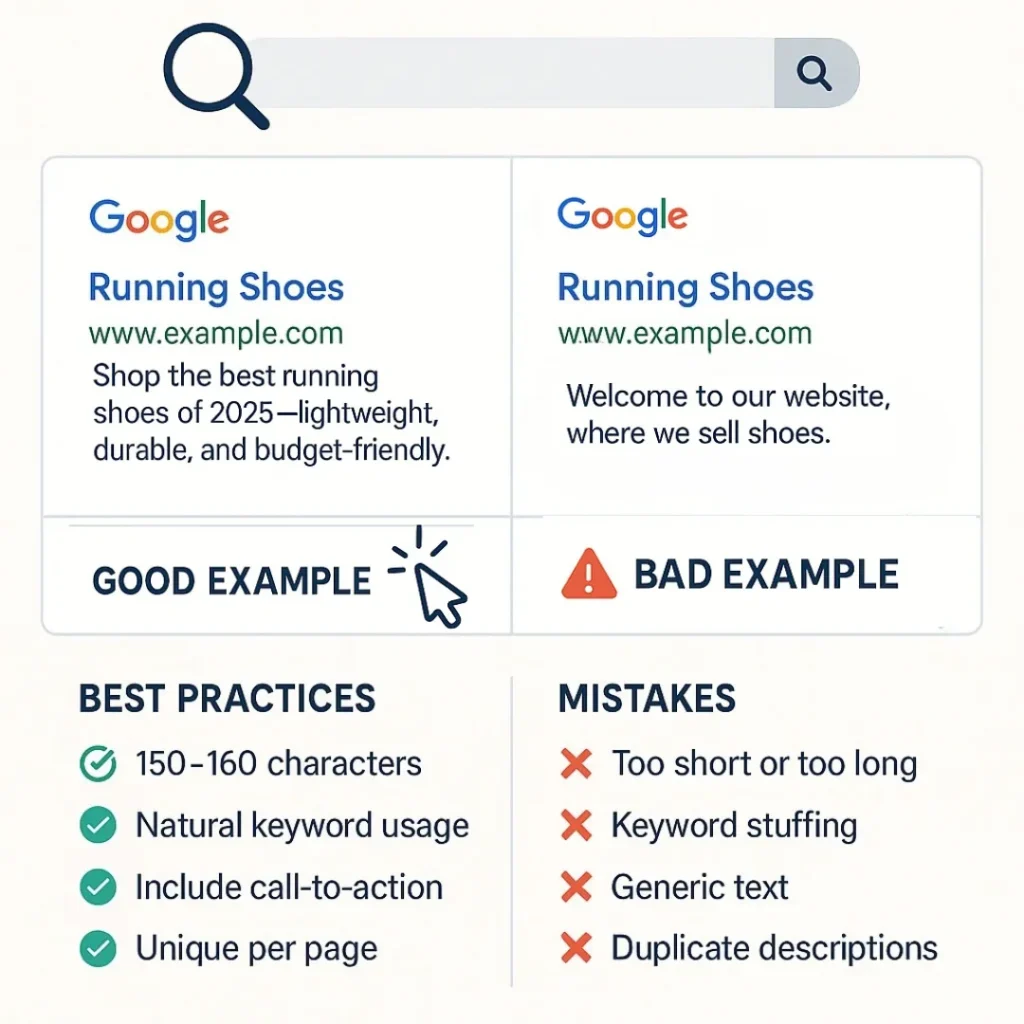
- Write 150–160 characters for best visibility.
- Use target keywords naturally without stuffing.
- Add a call-to-action like “Learn more” or “Discover.”
- Keep it unique for each page.
4. Headers and Structure (H1, H2, H3)
Google sees your website differently in coding. Google loves structure, and so do readers. Use H1 for your main title, H2s for subtopics, and H3s for details. Using proper headings is a key part of on-page optimization and ensures your content aligns with SEO ranking factors. Imagine your article as a roadmap—headers guide people to their destination.
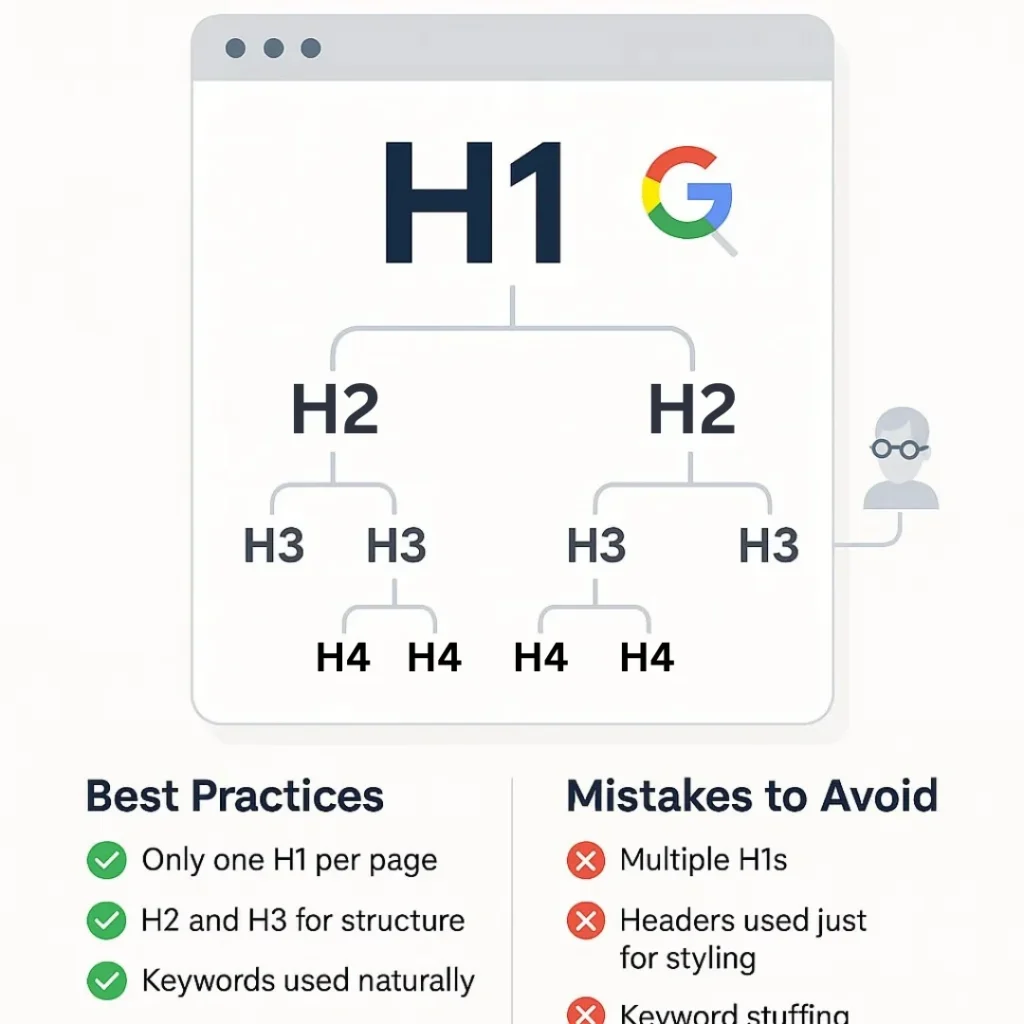
- Use only one H1 per page with your main keyword.
- Employ H2 and H3 tags for logical content flow.
- Insert keywords where they make sense, but don’t force them.
- Headers should provide context, not just styling.
5. Content Optimization
High-quality content remains the heart of on-page SEO. Quality beats quantity. Write content that solves a problem or answers a question better than anyone else. High-quality content and proper keyword placement are essential on-page SEO factors that help your pages rank higher. Sprinkle in synonyms and related terms (like Google NLP/LSI keywords). Use short sentences, images, and bullet points for scannability.
- Write content that’s original, relevant, and comprehensive.
- Maintain an easy-to-read structure with short paragraphs.
- Naturally use primary and secondary keywords.
- Include multimedia like images, infographics, or videos.
6. URL Structure
Search engines prefer clean, descriptive URLs that indicate what the page is about. Simple, short, keyword-rich URLs always win.
- Keep URLs short, ideally under 75 characters.
- Use hyphens instead of underscores.
- Include the target keyword once.
- Avoid random numbers or irrelevant parameters.
Bad Example: www.site.com/blog/2025/article?id=12345
Good Example: www.site.com/on-page-seo-checklist
7. Internal Linking
Think of internal links as bridges across your website. They help visitors discover more content and guide Google to crawl your site efficiently. Example: if you’re writing about SEO, link to your “keyword research guide” page.
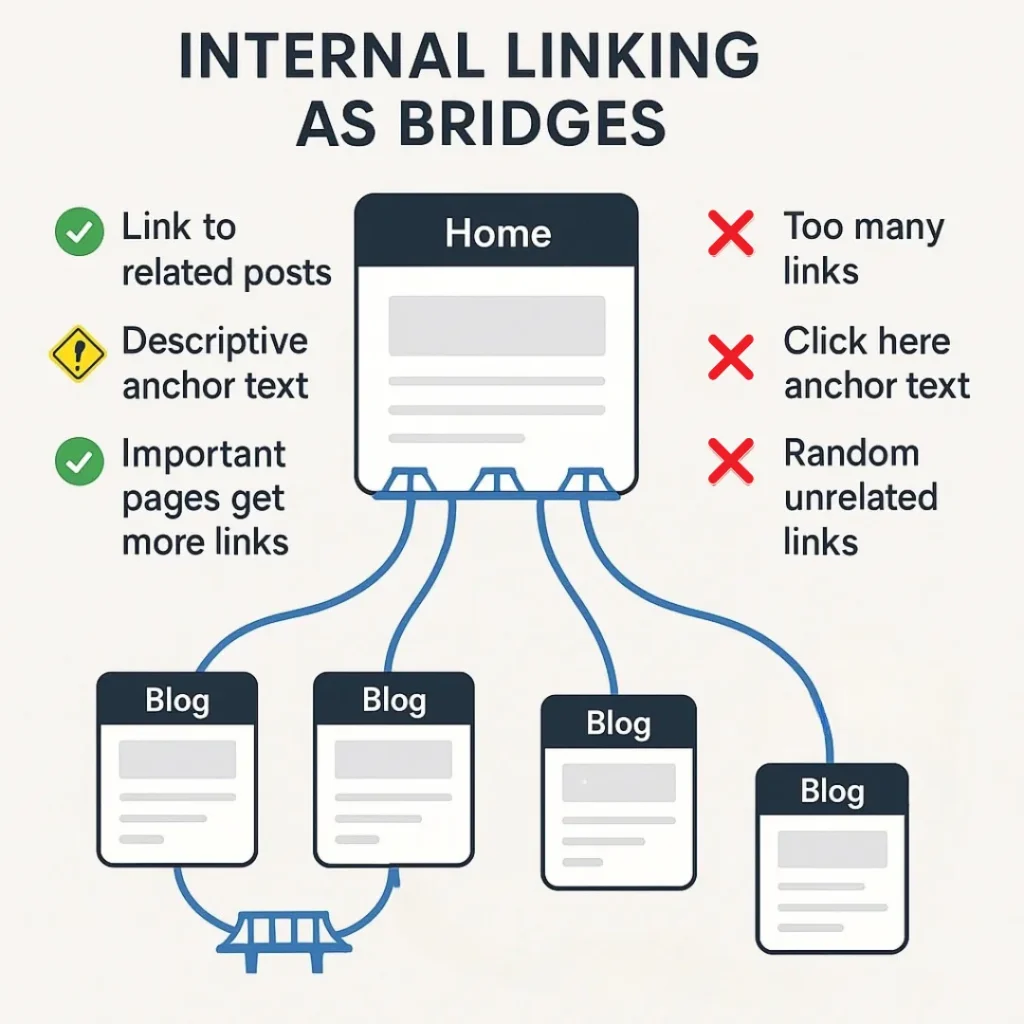
- Link to related blog posts or service pages.
- Use descriptive anchor text instead of “click here.”
- Ensure important pages have the most internal links.
- Don’t overdo it; keep links natural.
8. Image Optimization
Search engines can’t “see” images—they read alt text. Compress your images to load fast, add descriptive file names, and always use alt text. Example: instead of “image1.png,” use “on-page-seo-checklist.png.” Images bring life to your content, but must be optimized to avoid slowing down your site.
- Compress images before uploading; you can do it on TinyPNG.
- Use descriptive file names with keywords.
- Always add alt text for accessibility and SEO.
- Prefer modern formats like WebP.
9. Mobile Friendliness
Over 60% of searches now come from mobile. If your site isn’t responsive, you’re invisible. Use the responsive test tool to check the Mobile-Friendly Test, and choose a responsive WordPress theme. A non-optimized site loses rankings fast.
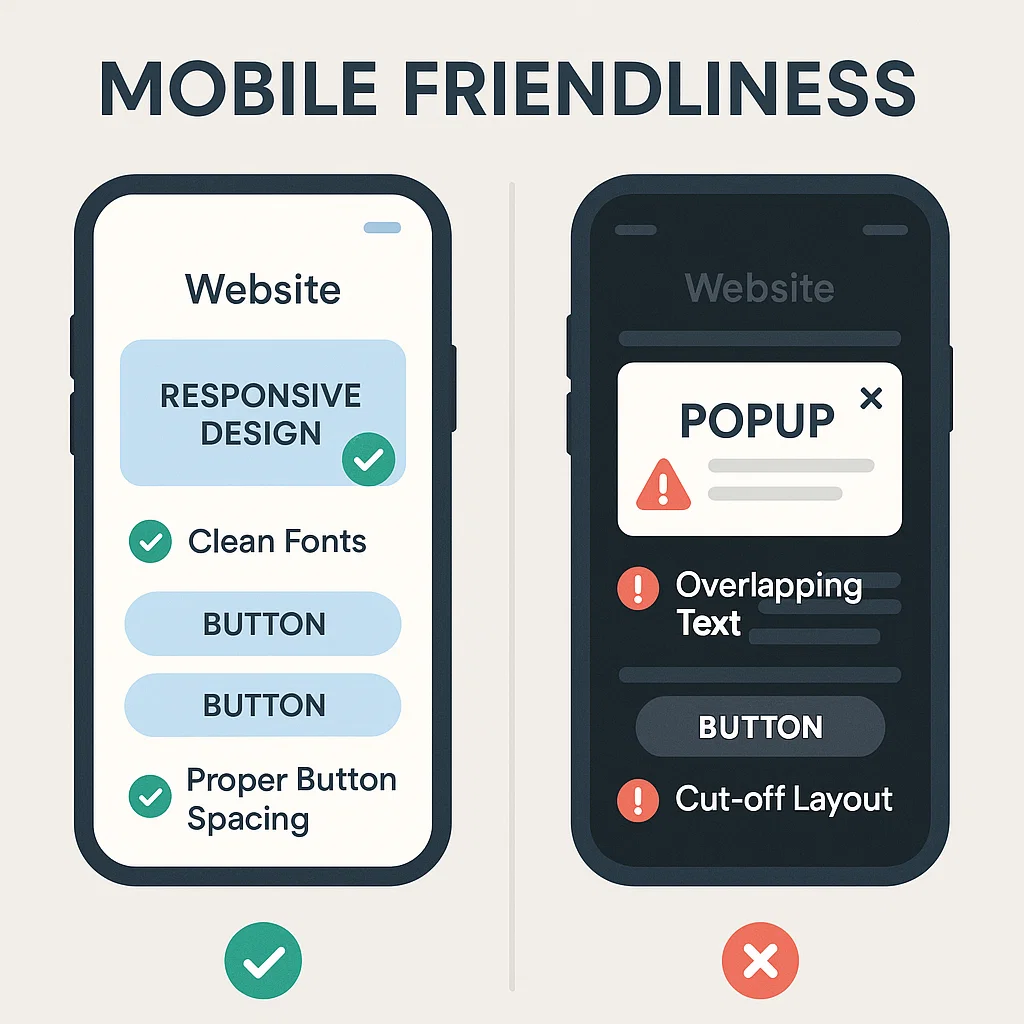
- Use a responsive design that adapts to any screen size.
- Ensure buttons and fonts are easy to read on small screens.
- Avoid intrusive pop-ups that block content.
10. Page Speed and Core Web Vitals
Nobody waits for slow sites anymore. Use Google PageSpeed Insights or GTmetrix to test performance.A 2-second delay can cause up to 90% higher bounce rates (source: Google PageSpeed Insights). Optimize images, use caching, and pick a fast hosting provider.
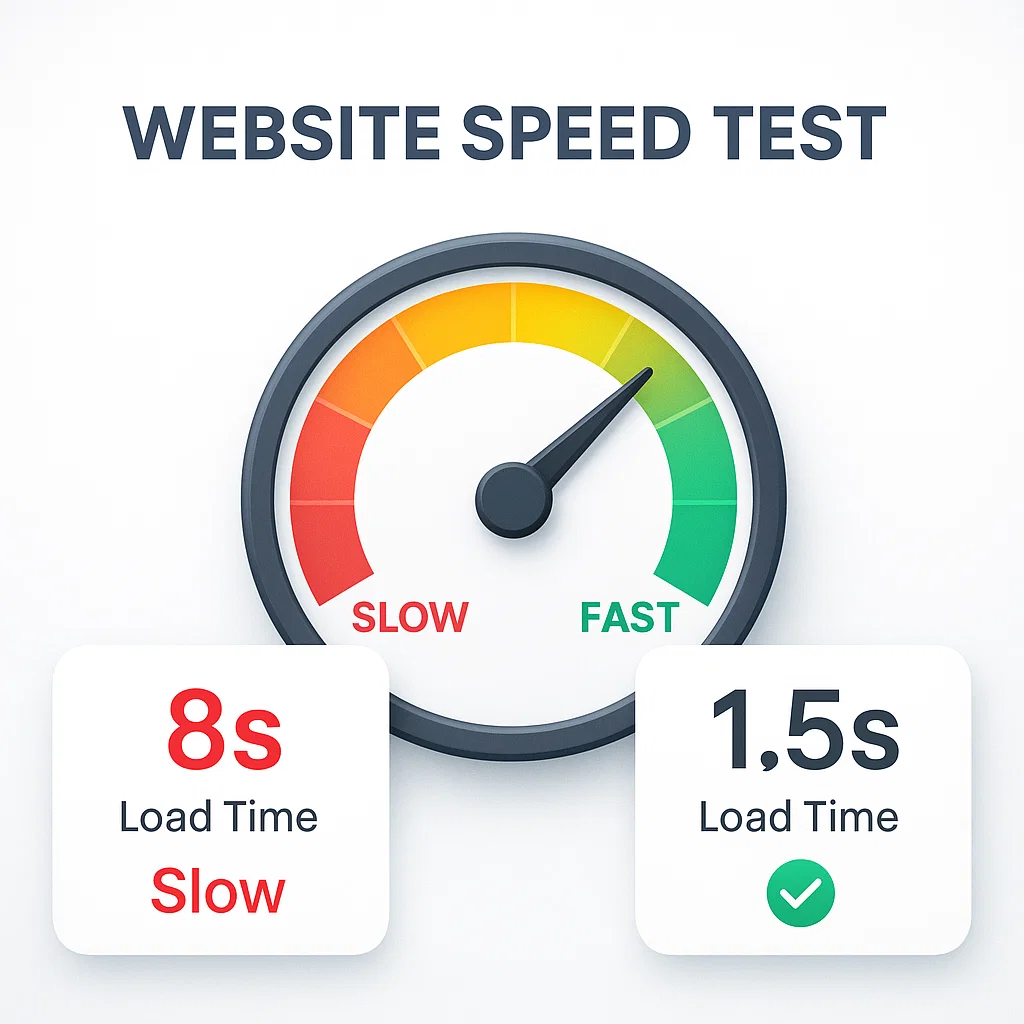
- Compress images and enable lazy loading.
- Use a fast hosting provider.
- Minify CSS, JavaScript, and HTML files.
- Leverage caching and a CDN (Content Delivery Network).
11. External Linking
Linking to trustworthy sources increases credibility and adds context to your content. Outbound links to authority sites build trust. Google sees this as citing your sources. If you mention a stat, link to credible sites like Google Search Central or Ahrefs.
- Link only to authoritative sites like Google, HubSpot, or Moz.
- Use descriptive anchor text for clarity.
- Regularly check and fix broken outbound links.
- Avoid overlinking — 2–4 solid references per post is enough.
12. Schema Markup (Structured Data)
Schema helps search engines understand your content better and enables rich results like FAQs, reviews, and star ratings. If you’re on WordPress, use plugins like RankMath or Yoast SEO to add schema without coding.
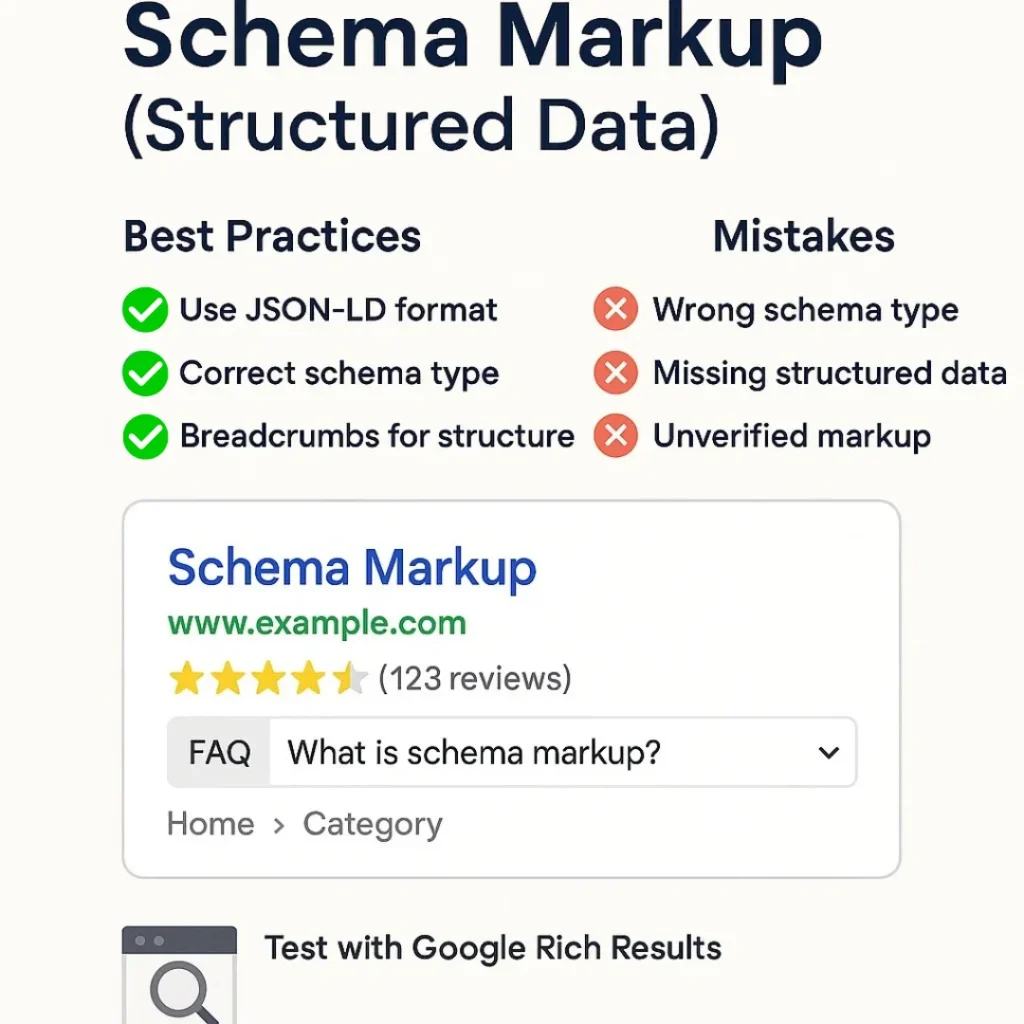
- Use JSON-LD format (preferred by Google).
- Apply the correct schema type (Article, FAQ, Product, etc.).
- Test using Google’s Rich Results Test tool.
- Implement the Breadcrumb schema to improve site structure in SERPs.
Common Mistakes to Avoid
Even with all these factors, many beginners fall into traps that hurt performance.
- Keyword stuffing: Overusing keywords makes content robotic.
- Duplicate content: Copying from other pages confuses search engines.
- Ignoring external links: Linking only internally looks unnatural.
- Skipping schema: Missing structured data means no rich snippets.
- Weak CTAs: Failing to guide users reduces conversions.
- Slow mobile experience: Ignoring mobile speed kills rankings.
FAQ
Q: What is On-Page SEO, and why is it important for beginners?
A: On-Page SEO means optimizing your website content and structure so search engines can understand it better. It includes things like titles, headings, keywords, and internal links. For beginners, it’s important because it improves rankings, boosts traffic, and makes your site more user-friendly
Q: Can I do On-Page SEO myself as a novice?
Absolutely! Start small with one web page, observe the tick list, and build your self-belief.
Q: How long does it take to see results?
Typically, 3–6 months for substantial traffic, depending on competition and content quality.
Q: Do I want paid tools for On-Page search engine marketing?
No, unfastened tools like Google Search Console, Ubersuggest, and Yoast search engine optimization can get you started correctly.
Q: Do I want to hire a search engine optimization professional?
A: While a professional can assist, many on-page SEO duties can be executed by website owners themselves with the proper tools and understanding.
Q: Is on-page search engine marketing enough on its own?
A: No, on-page search engine optimization is simply one part of the puzzle. Off-page search engine marketing and technical SEO also play critical roles.
Final Thoughts
Mastering on-page SEO in 2025 is essential for anyone looking to improve their website’s visibility and performance. By following this checklist and staying updated with best practices, you can ensure your site is optimized for both search engines and users. From this article, it is clear that a beginner will never ask what is on-page seo.